BPL and IPL jenetoto Community.
jenetoto Quick Login - Casino App with Slots & Live Dealer
We built our jenetoto Quick Login feature so you can access your account from a phone in seconds, whether using our Android app or opening our site in an iOS browser. This guide walks through the login process, password recovery, security checks, and what to expect on your first session after sign-in.
Open an account
Quick Login
- Category
- Live Table / Card
- RTP
- high
- high
Quick Login on jenetoto means you enter your username and password once, and our system keeps you signed in unless you manually log out. This saves time on repeat visits, but it also means choosing a device lock on your phone is important for safety. We explain both the convenience side and the security side so you can use Quick Login with confidence.
Our jenetoto Quick Login overview
We designed Quick Login to reduce friction on mobile. After your first full login (username, password, and any verification check), jenetoto remembers your session on that phone or browser. When you return, tapping the app or refreshing the page shows your account dashboard immediately—no re-entry needed unless you clear your browser cache or uninstall the app.
Quick Login differs from password manager auto-fill. We handle the session on our server, not just your browser. This means if your phone is lost, we can still remotely sign you out through our account security tools. If you forget your password, you can reset it from any device and all active sessions will be cleared for safety.
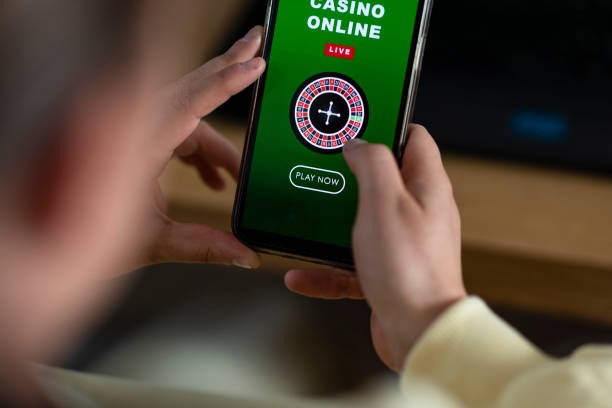
On Android, our app handles Quick Login through encrypted storage. On iOS browser, your session token lives in secure browser storage that Safari manages. Both paths meet the same security standards, so you can trust Quick Login whether you use our Android app or mobile browser access.
Our Quick Login essentials
- We keep you signed in after your first login so repeat visits are instant
- A device lock (PIN or biometric) on your phone protects your jenetoto access
- We can remotely sign you out if you report your device lost
- Resetting your password clears all active sessions everywhere for safety
- Two-factor authentication is optional but recommended for extra security
How to use Quick Login on jenetoto
First-time login steps
Your first login on jenetoto requires your full account credentials and a verification check. Open the app or visit jenetoto.app in your mobile browser. Tap Member Login and enter your username (or email) and password. If you do not have an account yet, visit Open Account to create one—this takes a few minutes and asks for basic details.
After you enter your credentials, we may ask you to verify your phone number or email. We send a code to your registered contact, and you paste it into a prompt on screen. This one-time verification confirms you own the account and helps us keep it secure. Once verified, you're logged in and can start using all jenetoto features.
Repeat login and session persistence
After your first successful login, jenetoto remembers your session on that device. When you open the app or browser again, you'll see your account dashboard straight away. No username or password entry is required unless your session expires (typically after a set period of inactivity) or you manually log out.
Session persistence is convenient for quick access during your day. If you want to log out—for example, before lending your phone to someone else—tap the logout button in your account menu. This immediately ends your session on that device, and the next visit will require your password again.

Password reset and account recovery
If you forget your jenetoto password, use the "Forgot Password" link on the login screen. We ask for your username or registered email, then send a reset link. Click the link, enter a new password, and confirm. Once your password is reset, all active sessions on all devices are logged out automatically—this protects your account in case someone else knows your old password.
After a password reset, your next login will require the new password. This applies to every device: your phone, tablet, desktop, or any other device you use to access jenetoto. We do this for safety, so a compromised device does not give an attacker lasting access.
Two-factor authentication setup
We offer optional two-factor authentication (2FA) to add a second security layer. With 2FA enabled, Quick Login still works on your trusted device, but if you log in from a new phone or browser, we ask for a verification code from your phone's authenticator app or SMS. This means even if someone learns your password, they cannot access your account without your phone.
To set up 2FA, go to your account settings, select "Security," and choose either an authenticator app (like Google Authenticator) or SMS codes. We walk you through the setup in a few taps. Once active, 2FA applies to every login, so plan ahead if you often switch devices.
Mobile device security and Quick Login
Quick Login is most secure when your phone has a lock (PIN, pattern, or fingerprint). Without a lock, anyone with physical access to your phone can open jenetoto and potentially move money. We recommend setting a device lock if you plan to use Quick Login regularly.
If your phone is lost or stolen, contact our support team immediately. We can remotely sign you out and help you secure your account. We also suggest changing your jenetoto password from another device as soon as possible. These steps prevent unauthorized access and help us restore your account quickly.
Quick Login saves seconds every time you return, but a device lock protects those seconds from becoming a liability.
Quick Login across payment methods
Once logged in, your jenetoto account connects to all payment methods you've registered. If you use DANAe-wallet, mobile banking, local payment, online payment, e-wallet, mobile banking, local payment, online payment, or e-wallet, Quick Login gives you instant access to deposit and withdrawal options. We keep your payment details securely stored, so you do not re-enter them each time.
During holidays like Idul Fitri, Idul Adha, or Imlek, bank processing may be slower, but Quick Login itself works year-round. If a payment is pending during a holiday, your account shows the status so you know what to expect.
Data and notification settings after login
Quick Login also means push notifications start flowing if you've enabled them in your account settings. We send alerts about new Liga 1 matches, Piala AFF schedules, available live-dealer tables, and account activity. You can customize which notifications you receive by visiting your settings menu after login. Toggle each type on or off to match your preference.
Notifications use minimal data—just a few kilobytes per alert. They do not trigger unwanted video streams, so your data plan stays under control even if you receive frequent updates.
Tips and notes for Quick Login safety
We recommend a few practical habits to keep your jenetoto Quick Login secure and reliable.
- Always use a strong password. Mix uppercase, lowercase, numbers, and symbols. Avoid birth dates, names, or common words. A unique password—one you do not reuse on other websites—is strongest.
- Enable a device lock. Use a PIN, pattern, or biometric (fingerprint or face recognition) on your phone. This is your first line of defense if your phone is lost.
- Enable two-factor authentication. This adds a second layer so that a stolen password alone does not expose your account. Set it up in account settings.
- Log out on shared devices. If you use a tablet or phone that others access, always tap logout when you're done. Do not rely on Quick Login to stay active.
- Check your login history. Our account page shows recent logins with timestamps and device types. Review it monthly to spot unauthorized access. If something looks wrong, change your password immediately.
We also recommend checking your account during low-traffic times—early mornings or midweek—so you can focus on security setup without distractions. If you need help with Quick Login, visit our FAQ page or contact support via email or live chat.
Quick Login is designed to be fast and safe together. By pairing session persistence with device locks, strong passwords, and optional 2FA, you get the convenience of instant access without compromising security. Use these tools, and your jenetoto account stays protected every time you return.